Run the car wash gate: plates, rain checks and sites
For a car wash, Check-in gains a Gate card. The attendant enters a member's plate or scans their pass, and Scarlet answers green or red with the reason, using the same membership rules as any check-in.
On this page 5 sections
Turn on the gate#
The gate is on from the start for a studio set up as a car wash. The owner can change it in Settings, under Car wash gate. The owner changes these; a manager can set the plate format:
- Run the car wash gate: members can add plates in your app, and the gate appears on Check-in.
- Plate format: which plates look right when someone types one: us (the default), ca, gb, eu, or any.
- Plates per member: how many cars one member can register, 2 unless you change it.
- Time between washes: after a wash, the same member can't come through again for this long, at any of your sites. It's 120 minutes unless you change it, and 0 turns it off. It stops one membership washing two cars back to back.
- Rain: who gets a credit and Rain check lasts: see rain checks.
How members add their plate#
In your app, members open Me and add their plate under My car, with an optional label like Blue Civic. They can change or remove a plate any time. A plate can belong to only one account; if it's already on another, the app tells them to ask the front desk.
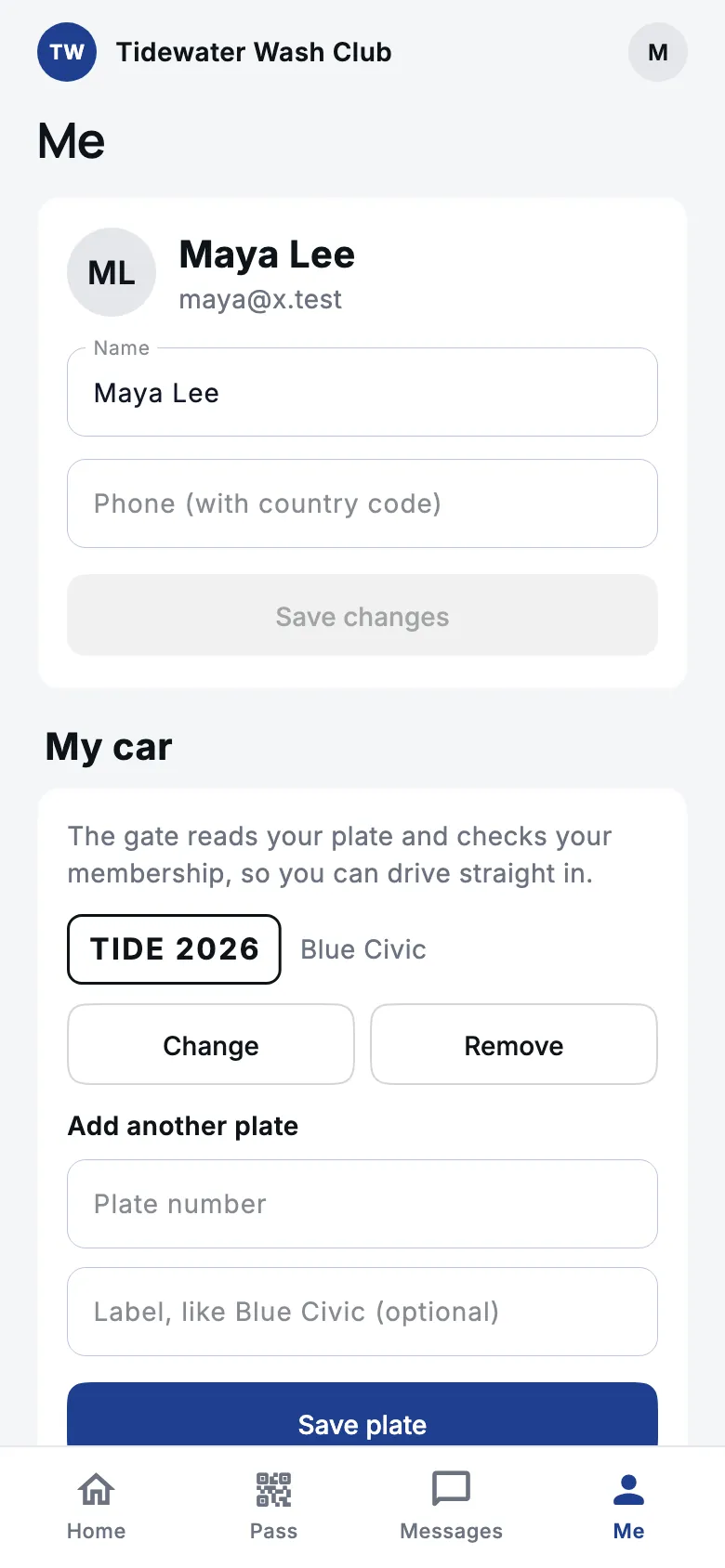
Members without a plate on file can still come in with the code under Pass in the app.
Let a car in#
Owners, managers and front desk staff see the Gate card at the top of Check-in.
Pick the site
If you run more than one site, choose which one this gate is at under Site. Every wash is filed under that site.
Enter the plate or scan the pass
With Plate chosen, type the plate and choose Check. With Pass code, scan the code in the member's app with a scanner or camera.
Read the answer
Green means let them through: the wash is recorded and the plate shows under the answer. Red says why not, for example the time between washes hasn't passed, or the membership is frozen or its payment failed. Mixed up a car? Undo on the card works for 10 seconds, as on any check-in.

- No member has that plate. Nobody has registered it. Scan their pass instead, or ask them to add the plate in the app. Nothing is recorded for an unknown plate.
- Too many plates that are not members. After a run of unknown plates, the gate pauses plate checks for a few minutes so nobody can use it to look up plates. Use the pass code meanwhile.
Rain checks#
When it rains soon after a wash, you can give recent customers a free re-wash. Owners, managers and front desk staff can switch on Rain at for the site on the Gate card.
Turn rain on
Switch it on and confirm with Turn rain on. Members who washed at that site in the last day (the Rain: who gets a credit setting) get one rain check each, if their membership is active and its plan includes rain checks (plans made from the Unlimited wash starting point do; see Create a plan). Credits can't be taken back once given. You can turn rain on up to 3 times a day at each site.
Members come back
When a member would otherwise be stopped by the time between washes or a daily limit, the gate uses their rain check instead and lets them in. The answer is marked Rain check used.
Turn rain off
Switch it off when the rain stops. Credits already given stay with the members until they use them or they lapse (14 days unless you change Rain check lasts).
A wash earns at most one rain check, however often the switch is flipped, and a member holds at most 2 unused ones unless you change Most rain checks a member can hold. Wait before a free re-wash sets how soon after a wash a rain check can be used.
Run more than one site#
Owners and managers see Locations at the bottom of Check-in. Choose Add site to give each wash its own gate and rain switch; rename a site any time. The Scarlet plan runs one site, and Scarlet Pro runs up to 3.
To close a site, use the archive icon on its row and confirm with Archive. Its gate stops working and its rain switch is cleared, while check-ins and members stay. Memberships whose home is that site need a new home site.
The time between washes counts across every site, so a member can't wash at one site and then straight away at the next.
Still stuck?
Email hello@meetscarlet.com and tell us which guide you were on. A person reads every message.